> ## Documentation Index
> Fetch the complete documentation index at: https://bunnynet-cb9733c2-claude-jolly-knuth-otewia.mintlify.site/llms.txt
> Use this file to discover all available pages before exploring further.

# Quickstart

> Set up Bunny Shield to protect your Pull Zone.

**Bunny Shield** filters malicious traffic from your website and records detailed logs for analysis. This quickstart covers setting up a Shield Zone and reviewing the Web Application Firewall (WAF) settings.

Before you begin, you'll need an existing [Pull Zone](/cdn/quickstart) to protect.

## Creating a Shield Zone

<Steps>
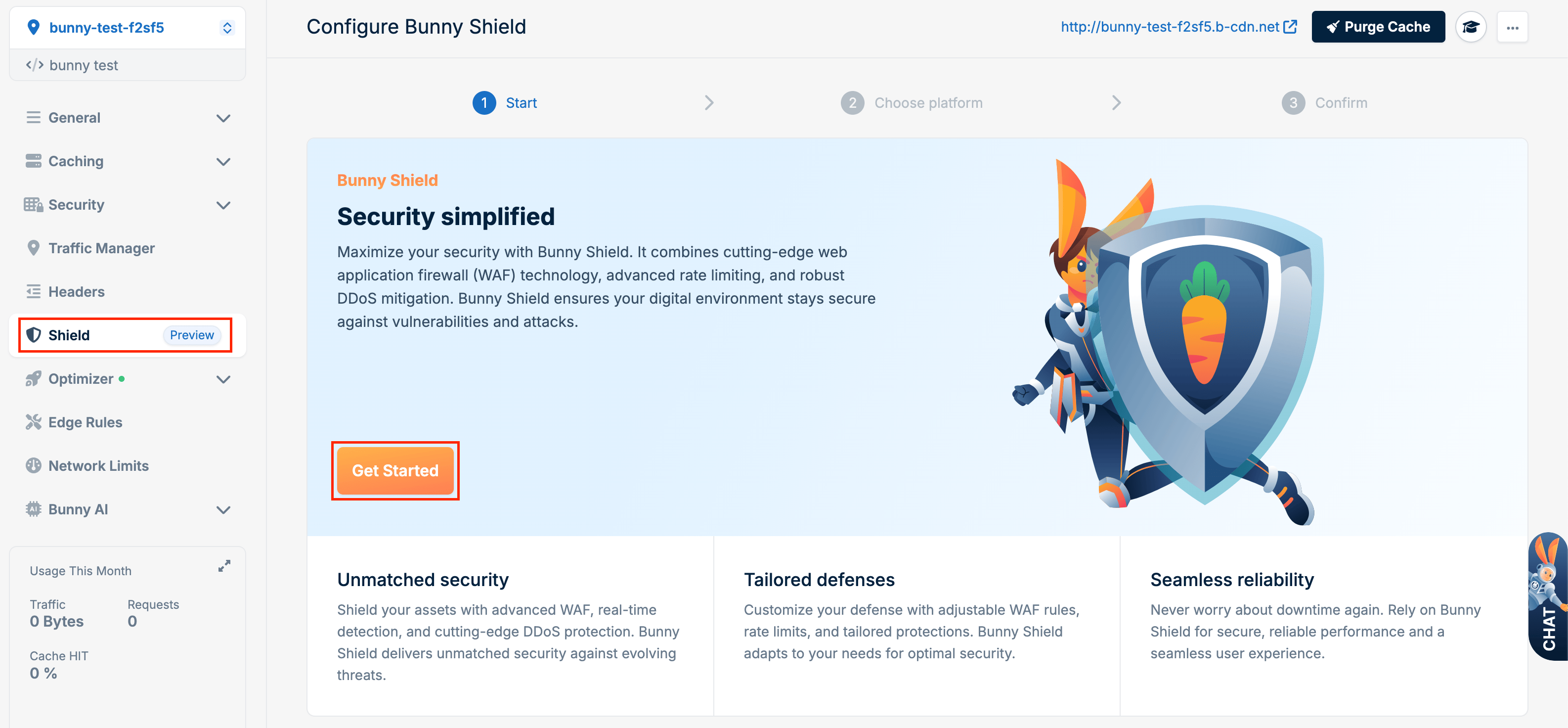
  <Step title="Get started">
    Click on the **Get Started** button.

    <Frame>
      <img src="https://mintcdn.com/bunnynet-cb9733c2-claude-jolly-knuth-otewia/e9Dqc2ueDBF0uDK4/images/docs/025b6da75c4b14d2da72387fc826a5773bb56130fd757240ecf945afad12ee75-image.png?fit=max&auto=format&n=e9Dqc2ueDBF0uDK4&q=85&s=16b4716021a22c382ded0b895ad23647" alt="" width="3172" height="1472" data-path="images/docs/025b6da75c4b14d2da72387fc826a5773bb56130fd757240ecf945afad12ee75-image.png" />
    </Frame>
  </Step>

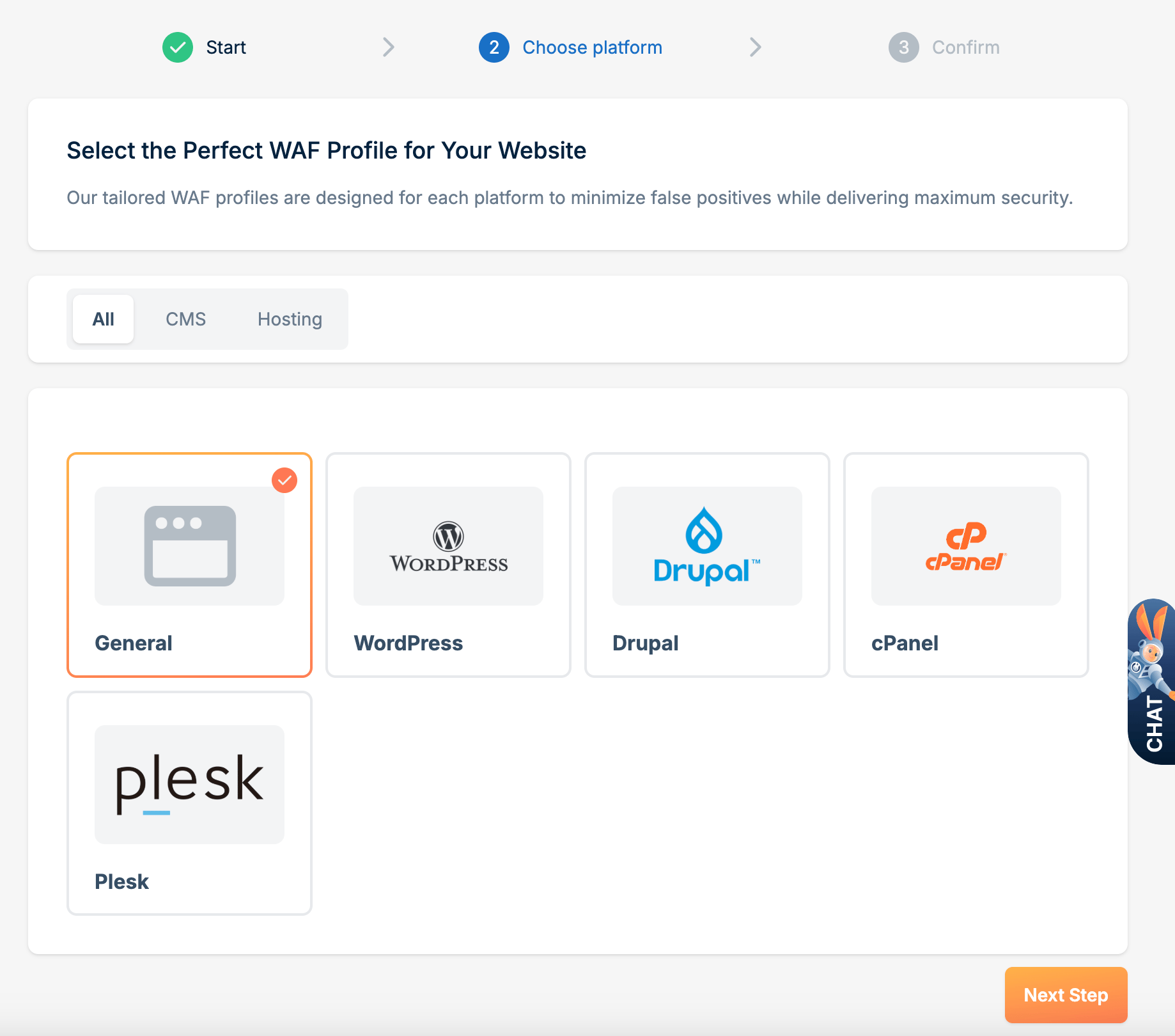
  <Step title="Select a WAF Profile">
    Select a WAF Profile and click **Next Step**. Using a WAF Profile reduces the potential for false positives for your web application.
    <Frame>
      <img src="https://mintcdn.com/bunnynet-cb9733c2-claude-jolly-knuth-otewia/bAppI0Dm3NQK70Vh/images/docs/cfaf5d261dd95d5b9f2abf393e952cfbf4d86fa290038af9f39c83e754d85f5d-image.png?fit=max&auto=format&n=bAppI0Dm3NQK70Vh&q=85&s=12ca79b132995fa5587d4ba6ade408da" alt="" width="1838" height="1620" data-path="images/docs/cfaf5d261dd95d5b9f2abf393e952cfbf4d86fa290038af9f39c83e754d85f5d-image.png" />
    </Frame>
  </Step>

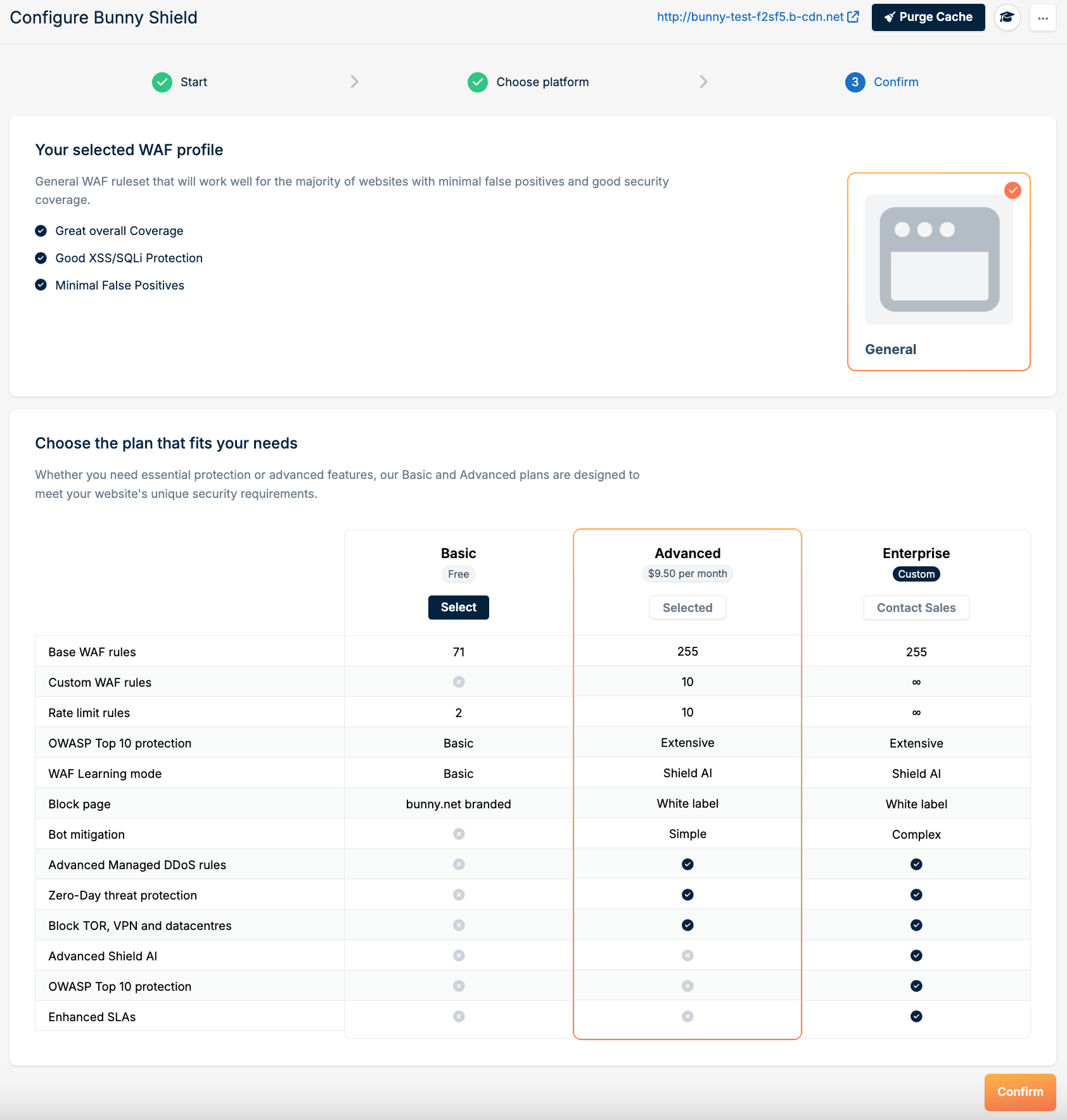
  <Step title="Confirm your plan">
    Pick a plan that fits your needs, then click **Confirm**.
    <Frame>
      <img src="https://mintcdn.com/bunnynet-cb9733c2-claude-jolly-knuth-otewia/Wea6XiWxjzG9fgny/images/docs/c48c7fc114cbe8507c8b133bb854d8768ca797463aa3b5400d20027b50c28d98-image.png?fit=max&auto=format&n=Wea6XiWxjzG9fgny&q=85&s=02f23b4481e5c3a4a757c18837f8e78f" alt="" width="1684" height="1768" data-path="images/docs/c48c7fc114cbe8507c8b133bb854d8768ca797463aa3b5400d20027b50c28d98-image.png" />
    </Frame>
  </Step>
</Steps>

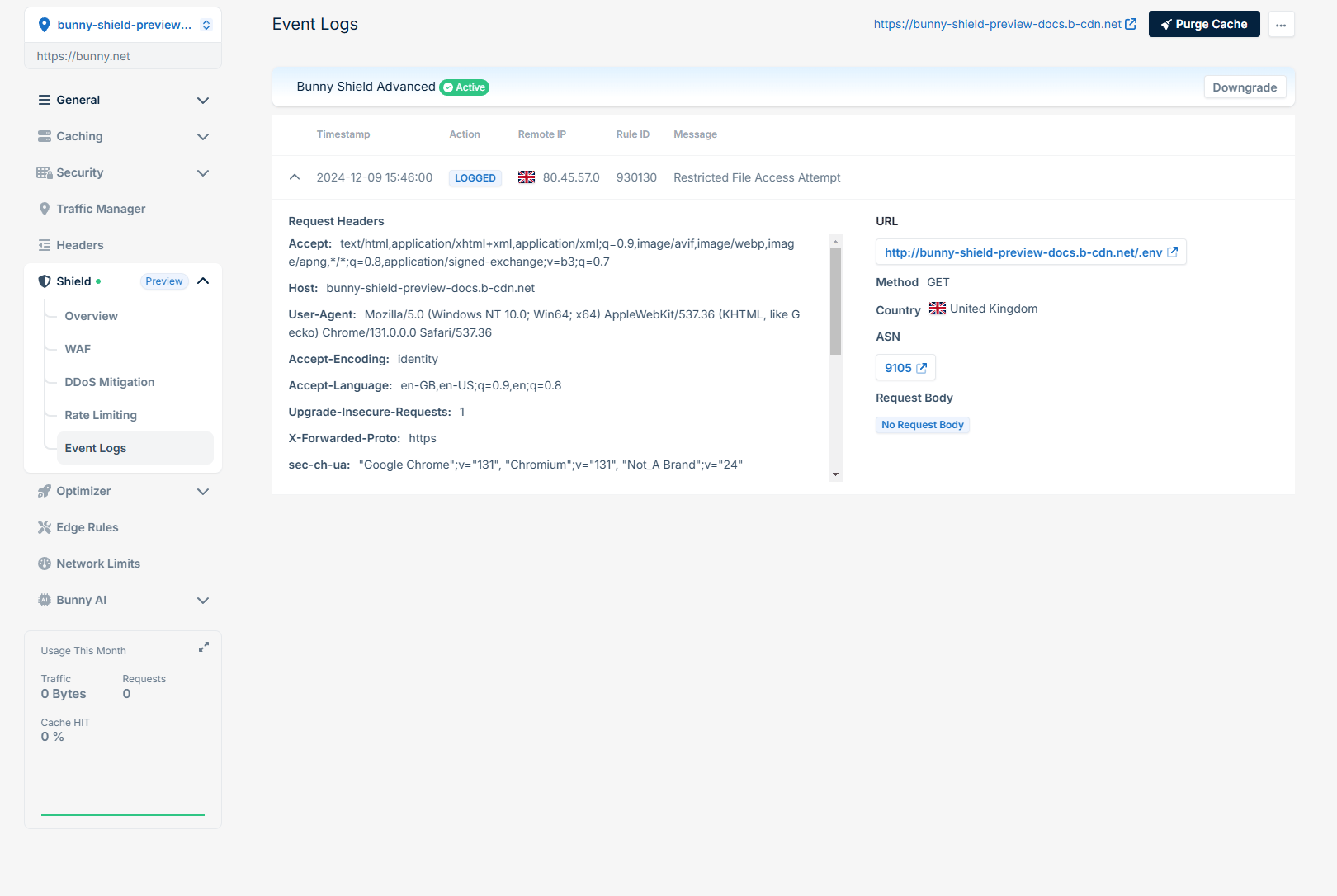
## Reviewing logs

<Frame>
  <img src="https://mintcdn.com/bunnynet-cb9733c2-claude-jolly-knuth-otewia/e9Dqc2ueDBF0uDK4/images/docs/1eef9717f751a67fc291412e5dfba79d74f3b42910802c640487f0c6316d052a-image.png?fit=max&auto=format&n=e9Dqc2ueDBF0uDK4&q=85&s=492d23f55f105fed2db8e83ee4b59510" alt="" width="1620" height="1086" data-path="images/docs/1eef9717f751a67fc291412e5dfba79d74f3b42910802c640487f0c6316d052a-image.png" />
</Frame>

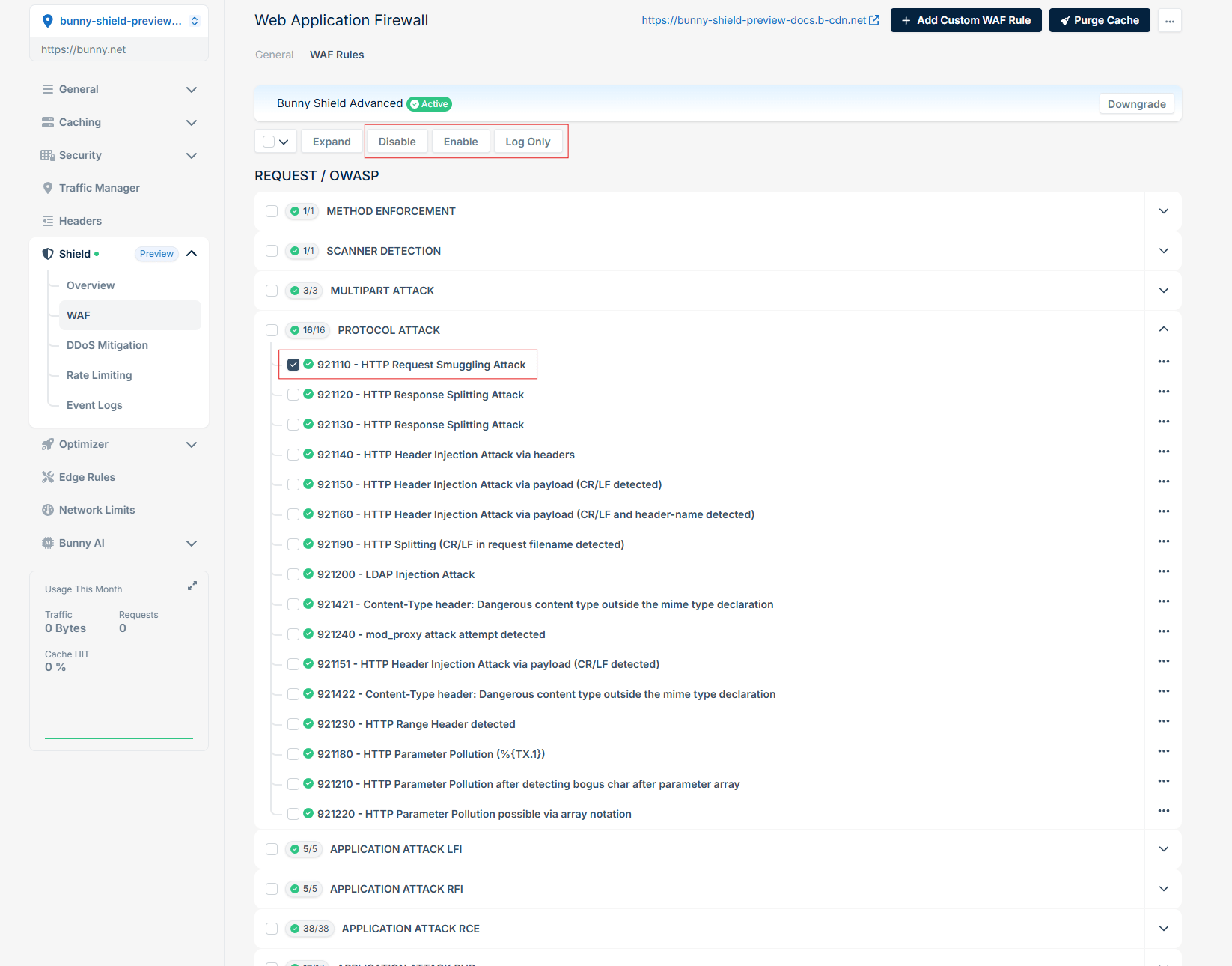
After reviewing the Event Logs, if you see any false positives you can update the specific rule to be logging only, or disable it via **WAF** > **WAF Rules**.
<Frame>
  <img src="https://mintcdn.com/bunnynet-cb9733c2-claude-jolly-knuth-otewia/e9Dqc2ueDBF0uDK4/images/docs/11f74b6393fd4702eb251307953fbe8286c6021029c020f5cc4d5e4259b5c395-image.png?fit=max&auto=format&n=e9Dqc2ueDBF0uDK4&q=85&s=733330d58f8f3f03c2bc04838d3af2d8" alt="" width="1646" height="1290" data-path="images/docs/11f74b6393fd4702eb251307953fbe8286c6021029c020f5cc4d5e4259b5c395-image.png" />
</Frame>